
how_to_update_auto_integrate_labor_rate
How to Update Auto Integrate Labor Rate
1. In the top POS menus choose Administration/Big O Admin/Download Auto Integrate Items
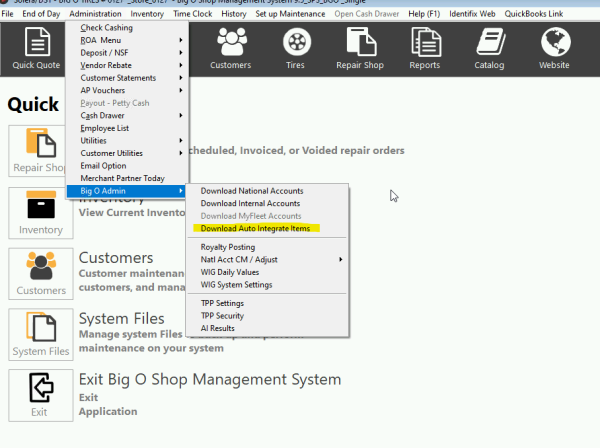
2. Verify the “Is Labor Taxable” settings are correct and choose Continue Download

3. Once the download is complete you will see a final screen with any of your current unmapped inventory items. Make any changes if needed and then choose save.

PDF File with screen shots here
how_to_update_auto_integrate_labor_rate.txt · Last modified: 2024/01/16 16:05 by brandon